









An in-depth comparison guide of eCommerce platform technologies Shopware vs BigCommerce comparing features, pros and cons.

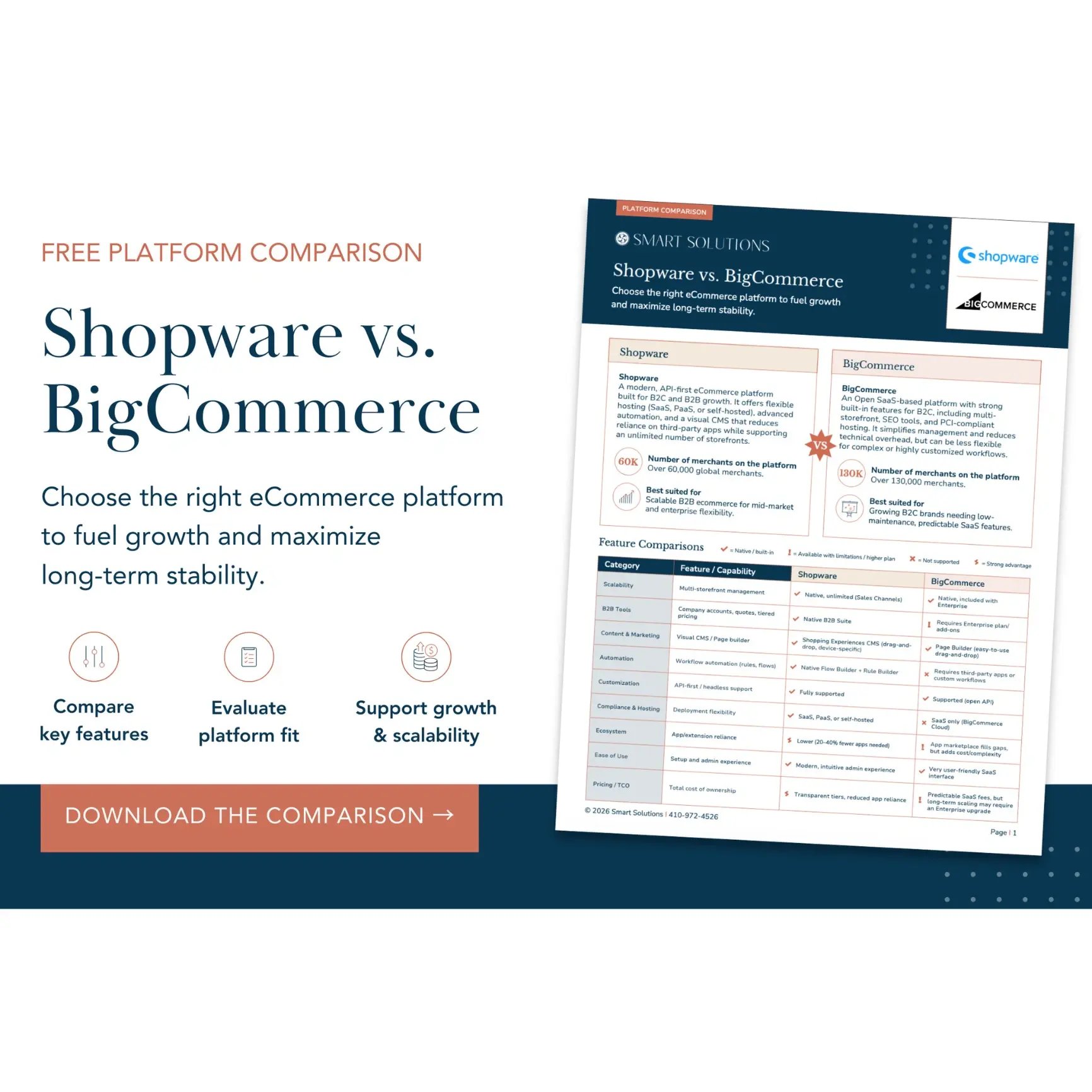
Both platforms have made serious investments in B2B. Where they differ is in how that functionality is packaged, how much you can extend it, and what kind of operation it fits best.
A few years ago, B2B eCommerce platform selection was a clear trade-off: go with a SaaS platform and accept its constraints, or invest in an open-source platform and build what you need. That line has blurred. BigCommerce and Shopware have both invested significantly in native B2B functionality, and both can support sophisticated buying workflows, customer-specific pricing, and multi-account structures.
The question isn't which platform offers B2B features; it's which approach aligns with how your business actually operates. This comparison focuses specifically on B2B capabilities, not general platform attributes.
Platform Comparison at a Glance
The table below covers the key B2B decision points side by side. Detailed breakdowns follow.
|
Feature / Consideration |
BigCommerce B2B Edition |
Shopware B2B |
|---|---|---|
|
Deployment Model |
SaaS only (fully managed) |
SaaS, PaaS, or Self-Hosted |
|
B2B Packaging |
B2B Edition app (Enterprise plan) |
B2B Components (Evolve plan+) |
|
Company Account Structure |
Multi-company hierarchy + advanced permissioning |
Roles, contacts, sub-accounts (modular) |
|
Buyer Portal |
Unified portal: orders, quotes, invoices, replenishment |
Customer account with configurable B2B views |
|
Quote / CPQ |
CPQ launched March 2025 -- mobile-optimized, real-time calc |
Native quote management in B2B Components |
|
Order Approvals |
Purchase order workflows + approval processes |
Budget-based order approval rules (since 2024) |
|
Quick Order / Reorder |
Reorder lists via Buyer Portal |
Quick order via CSV/XLS or item number mask |
|
Net Terms / Invoicing |
Net 5/15/30/45/60 + Invoice Portal |
Native via B2B Suite / Components |
|
Sales Rep Access |
Sales rep masquerade (log in as customer) |
Sales rep accounts with customer assignment |
|
Pricing Engine |
Custom pricing + catalogs per buyer/group |
Rule Builder: group, volume, contract pricing |
|
ERP Integration |
API + partner connectors (NetSuite, etc.) |
API-first; SAP, MS Dynamics, Odoo connectors |
|
B2C + B2B on One Platform |
Supported (unified storefront) |
Supported (single platform, separate channels) |
|
Headless Support |
Yes (MACH architecture) |
Yes (API-first core) |
|
Developer Dependency |
Low -- most workflows configured, not coded |
Medium to high for custom components |
|
Speed to Market |
Faster -- packaged, ready on install |
Slower -- modular setup requires configuration |
|
Best Fit |
Mid-market manufacturers, distributors, wholesalers |
Complex or heavily customized B2B operations |

BigCommerce B2B Edition: A Packaged Solution Built for Manufacturers and Distributors
BigCommerce's B2B Edition is an app installed on top of an Enterprise plan. What that packaging delivers is meaningful: the core B2B workflows: buyer portal, quoting, account hierarchy, net terms, invoice management, are all in one place, configured rather than coded, and operational much faster than a custom build.
Buyer Portal and account structure
The Buyer Portal gives procurement teams a self-service hub to manage orders, quotes, invoices, and replenishment lists without needing to contact a sales rep. Multi-company account hierarchy, expanded in early 2025, supports complex corporate structures, letting buyers manage payment and credit limits at the parent company level while sub-accounts operate independently underneath.
CPQ and quoting
BigCommerce launched a Configure-Price-Quote system in March 2025 that handles quote generation across both B2B and B2C channels. It includes a mobile-optimized interface, customizable fields, real-time tax and shipping calculations, and automated discount controls. For sales teams managing high quote volume, the reduction in administrative overhead is measurable.
Net terms and invoicing
Net 5, 15, 30, 45, and 60 payment terms are supported natively, along with a dedicated Invoice Portal where buyers can view outstanding balances and make payments directly from their account dashboard. This removes a significant friction point for businesses that extend credit lines to wholesale customers.
Sales rep access
Sales reps can log into customer accounts directly creating a masquerade feature that lets them place orders, manage quotes, and support buyers without needing separate credentials or workarounds. For businesses with active inside sales teams, this is a practical operational advantage.
Where it has limits
BigCommerce B2B Edition is a packaged solution. That's its strength and its ceiling. Approval workflow logic, pricing rule complexity, and catalog configuration have boundaries. Organizations with highly specific procurement requirements like multi-tier budget controls, deeply custom approval chains, or industry-specific order logic will hit those boundaries. The platform is also SaaS-only, which means infrastructure and data are managed by BigCommerce.
Shopware B2B: Modular Components Built for Operational Complexity
Shopware's B2B approach has changed significantly. The legacy B2B Suite, a bundled all-in-one feature set, is being deprecated in favor of B2B Components, a modular system built directly into the Shopware 6 core. Starting with Shopware 6.8, the B2B Suite will no longer be supported. New implementations should be built on B2B Components.
This matters for evaluation: what you're assessing is not the older Suite, but a composable toolkit where features are activated and configured individually, built on an API-first foundation designed for integration-heavy environments.
Modular activation and role-based access
B2B Components are enabled per feature and per user role. Merchants control which users have access to which capabilities like approval workflows, quick order, quote management rather than applying a blanket feature set. This granularity is useful for businesses that serve a mix of buyer types with different purchasing authority and self-service expectations.
Order approvals and budget controls
Shopware's order approval system, available since early 2024, lets buyers set budget thresholds that trigger automatic approval routing when an order exceeds the limit. Combined with rights management, it supports tiered purchasing authority without requiring custom development, a capability that previously required significant build effort.
Quick order and procurement workflows
B2B buyers placing large, repeat orders need speed. Shopware supports quick order via CSV or XLS file upload, or direct item number entry; workflows that match how procurement teams actually operate rather than expecting them to navigate a standard storefront experience.
ERP integration depth
Shopware's API-first architecture is built for systems integration. Connectors for SAP, Microsoft Dynamics, and Odoo are available, supporting real-time sync of inventory, customer data, order processing, and financial reporting. For manufacturers and distributors running complex ERP environments, this depth of integration is often the deciding factor and Shopware's open-source foundation means custom integration work isn't constrained by what the platform allows through approved connectors.
B2B and D2C on one platform
Shopware supports running B2B and direct-to-consumer channels from a single backend. For manufacturers managing both wholesale and consumer sales, this reduces operational overhead and keeps product, pricing, and order data in one system rather than managing separate platforms.
Where it has limits
Shopware's flexibility comes with a corresponding requirement for technical investment. B2B Components require configuration and, for complex requirements, development work. The transition from B2B Suite to B2B Components also means that implementations built on the Suite will need migration planning before the Shopware 6.8 cutover. Teams without an experienced Shopware partner will move slower and risk configuration gaps.
Which Platform Fits Your B2B Operation?
The decision comes down to what your B2B requirements look like and how much flexibility you need at the configuration and integration layers.
BigCommerce B2B Edition is a strong fit if your workflows are well-defined like account management, quoting, net terms, buyer roles and your priority is operational speed. The packaged approach means less time configuring and more time selling. For mid-market manufacturers, distributors, and wholesalers that don't need deep workflow customization, the total cost of ownership and time to value are real advantages.
Shopware B2B Components is a strong fit if your requirements go beyond what packaged features can support; custom approval logic, complex ERP integration, mixed B2B and D2C channels, or procurement workflows that need to mirror how your buyers actually operate. The modular architecture gives implementation teams the flexibility to build the right solution, not work around the wrong one.
Neither platform is the default right answer. Both are capable of supporting serious B2B commerce operations. The difference is in what you need to configure versus what you need to build, and how much your business can grow within the limits of each approach.
--
We work with both platforms and help B2B businesses evaluate which is the right foundation for where they are and where they're going. If you're working through this decision, we're happy to take a look at your requirements and give you a straight answer.


Explore More Resources




.png?width=396&height=221&name=Adobe%20shift%20to%20SaaS%20(1).png)